Arranger One
Your songwriting studio for the Mac: arrange songs, record vocals, mix, and export the lyric video at the end. One app, so you stay in the music.
Coming soon Download the free beta macOS · Apple Silicon

Screenshots
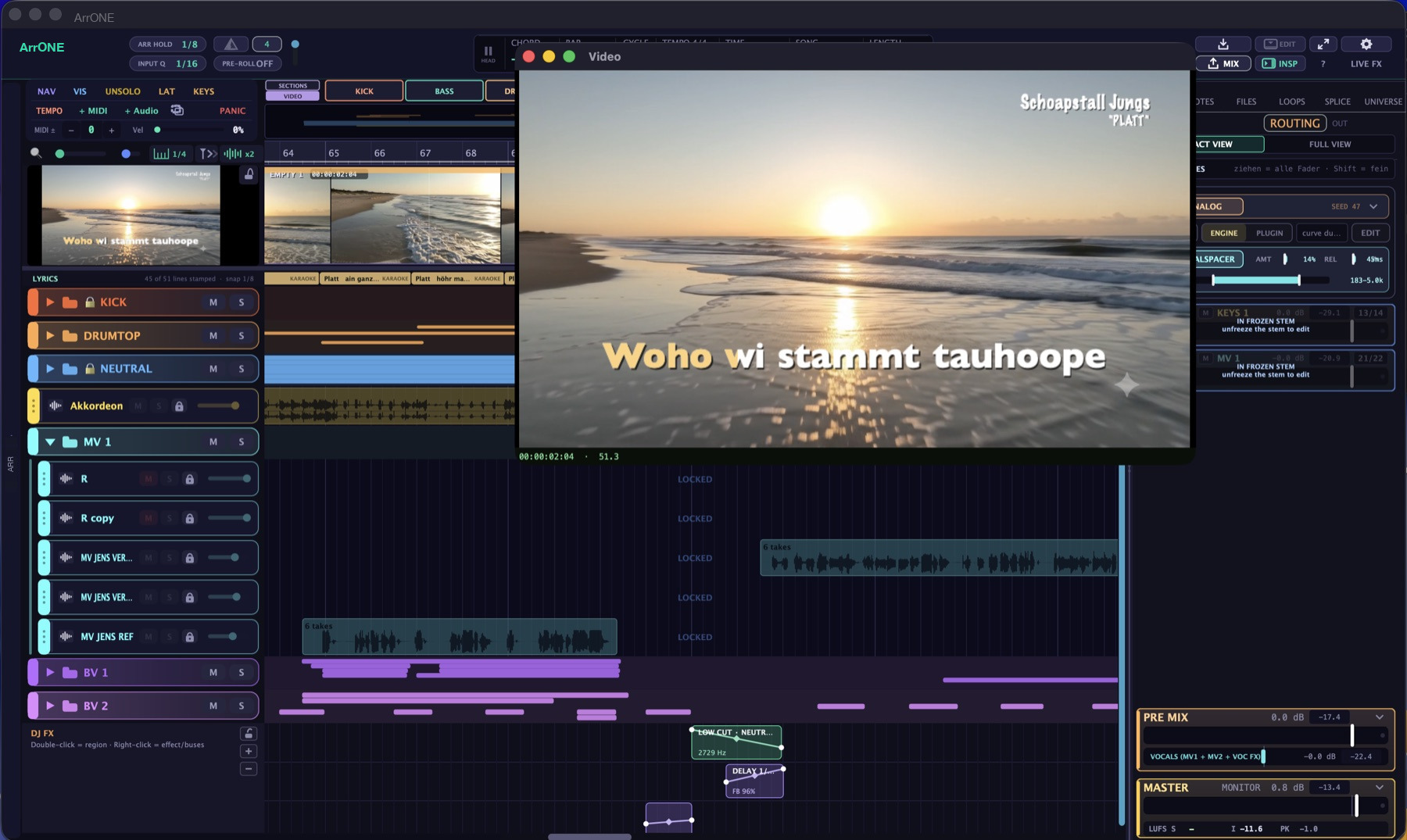
Screenshots from current productions. Click opens the image at full size.




Plugins
The plugins are built for Arranger One and run right inside the app. ArrChannel and ArrSpace are part of the beta, the others follow.
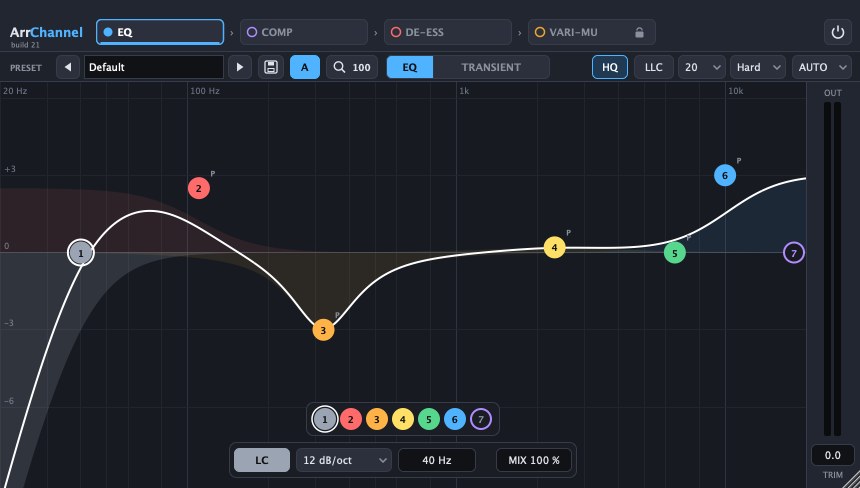
ArrChannel In the beta
Channel strip with EQ, compressor, de-esser and a vari-mu stage in one chain. The EQ has up to seven bands and shows the spectrum live.
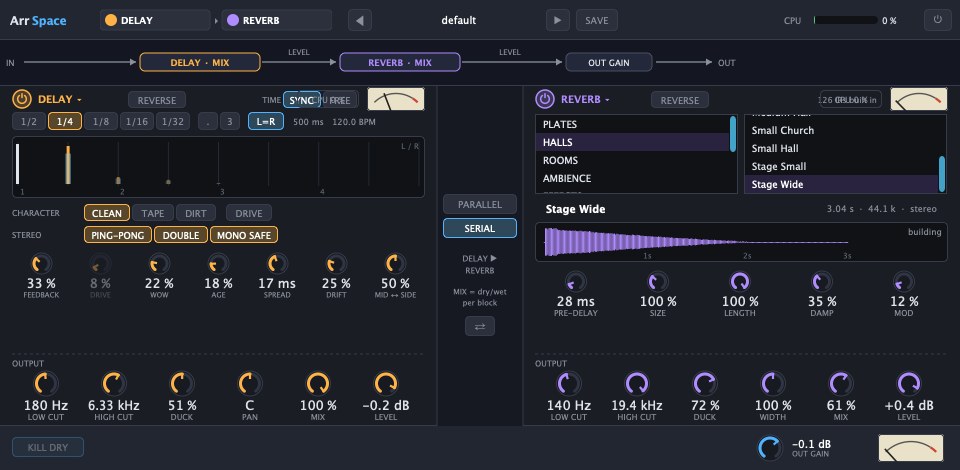
ArrSpace In the beta
Delay and convolution reverb in one plugin, in series or in parallel. Both blocks can run in reverse. The delay has ping-pong, tape saturation and ducking, the reverb more than a hundred rooms, halls and plates.
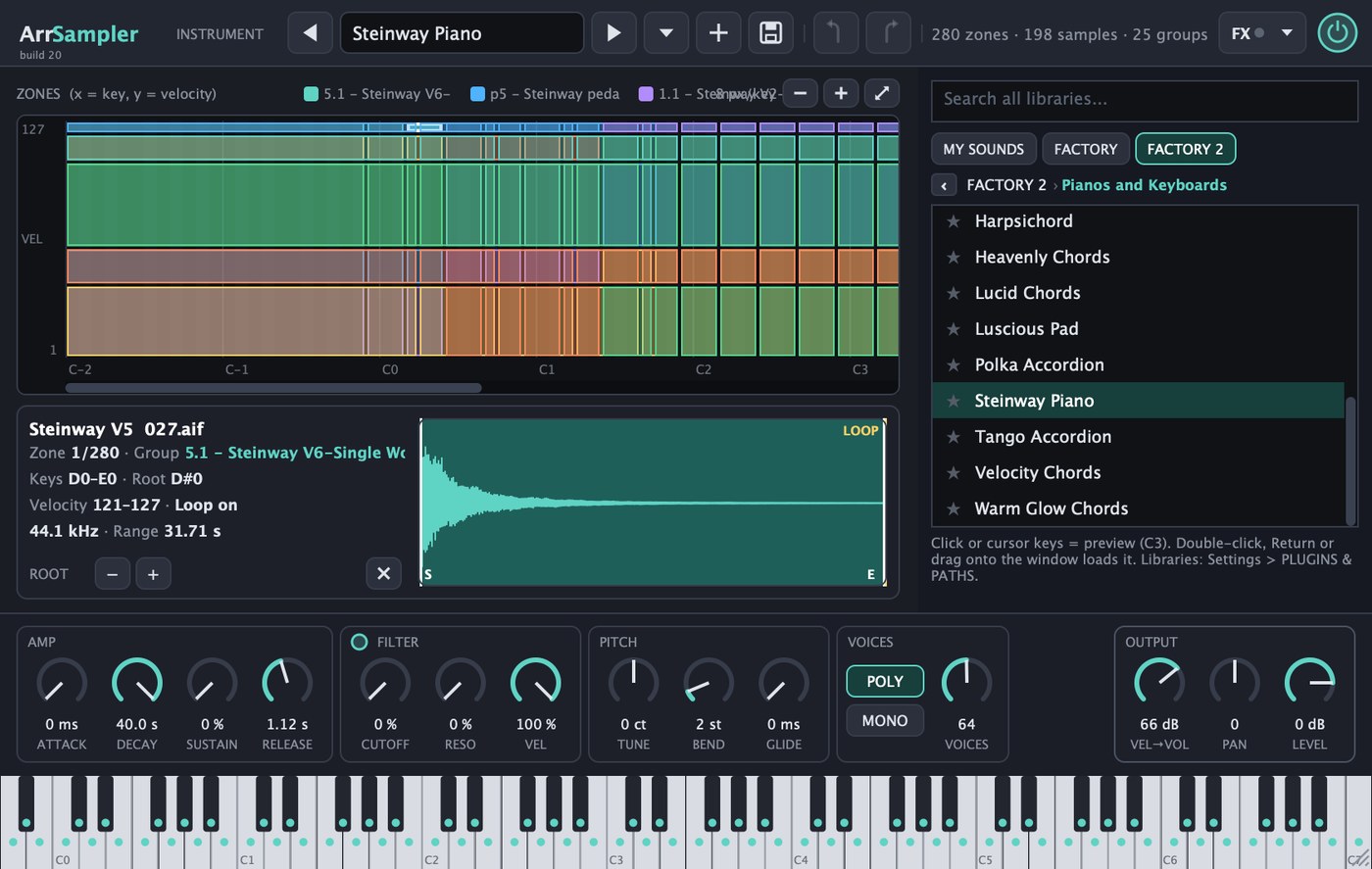
ArrSampler Coming soon
Sampler that loads instruments in the Logic Pro EXS format directly, with all zones and velocity layers. You build your own instruments by drag and drop, and the search covers all your libraries.
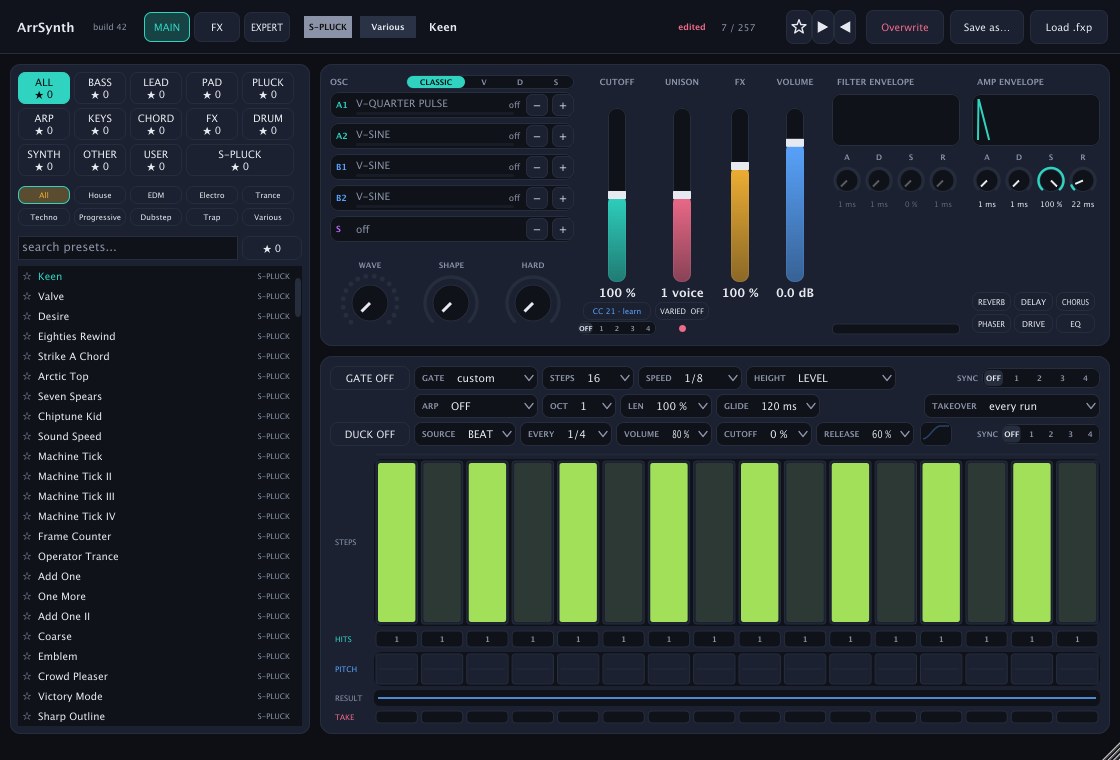
ArrSynth Coming soon
Synthesizer with four oscillators, filter and amp envelopes, effects and a step sequencer for gate and arpeggio. You sort the presets by type and genre.

ArrDrums Coming soon
Drum sampler for your own kits. Every key has its own settings and a send into the built-in reverb.
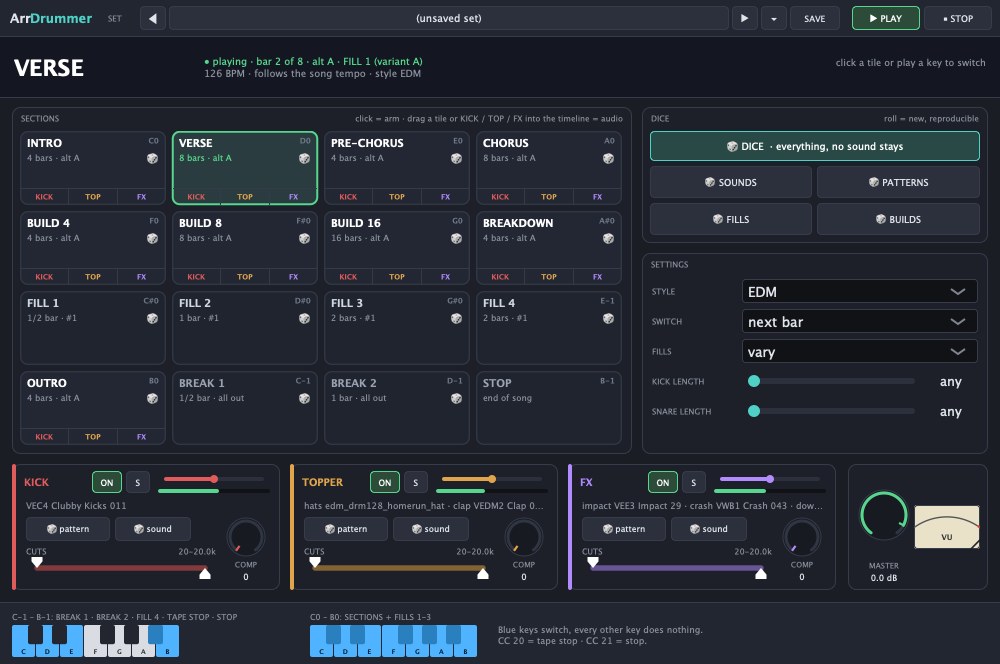
ArrDrummer Coming soon
A drummer for your song: sections like intro, verse and chorus, plus fills and builds. It follows the song tempo between 90 and 150 BPM and rolls new sounds and patterns on request.

Hi, I'm Hens Hensen. Originally I just wanted to write a MIDI plug-in – and ended up building an entire DAW around it. It simply happened that way, and the ambition was there. Today Arranger One is my daily tool: every one of my productions is made with it, from the first chord to the finished mix. I work on the program every day and keep extending it. If a feature is missing or something in the workflow bothers you, write to me. Much of what is in there today came about exactly like that: from requests by people who make music with it.
Hens Hensen · Contact form
The idea behind Arranger One
I built Arranger One to save you a lot of busywork. Its structure is thought through from the start: everything connects, from the sum buses down to the stems. You get the final mix in several versions right away, whether instrumental, half playback or live playback, all automatic. And when the album is done, you render the whole thing with one click.
On top of that, plenty of features make producing easier. So you can get back to what it is really about: making music.
Features
Arranger view
Like the auto-accompaniment of a keyboard, but for production: you play chords, and kick, bass, drums, chords, lead and keys play their patterns along, 240 factory patterns included. The song is made of sections such as intro, verse and chorus, each with its own key. Bass live mode, and section-instrument tracks drive the accompaniment straight from the timeline.
Track view
Audio and MIDI tracks, clips with fades and crossfades, take folders with comping, piano roll, colour folders, markers, tempo track. Tool field with marquee, eraser and mute, grid chip, auto-scroll, pinch zoom, freely assignable keys. Four DJ effect lanes with regions for hi-cut, low-cut, tempo-synced delay, tape stop, reverse, phaser, volume or one of your own plugins, each drawn as a curve and aimed at single buses or the master.
Vocals
The lead engine aligns timing and pitch of all takes in a take folder to their common average. The result is doublings that run in sync and can be bounced to a new track. Take folders can be linked as master and slave: doublings and backing vocals follow the timing of the lead vocal. Audio edit removes breaths, clicks and mouth noises. Vocal Space ducks the music under the voice, sidechain from any track.
Video & Lyrics
Video track with clips, photos, titles and motion. Lyrics are stamped onto the time with a keypress, export as LRC. Lyric video with effects straight to MP4.
Mixer & Buses
32 sum buses with names and colours. Channel mixer and bus mixer, both also as separate windows. Inserts, sends pre and post, pre-mix and master. Mix routing with stems, freeze and realtime freeze. Metering on the Logic scale with LUFS.
Plugins & Hardware
Audio Unit, VST3 and ARA load directly. Plugin presets, plugin roll, blacklist. Plus Melodyne support and support for Softube Console 1. Hardware controllers with channel follow, external synths with MIDI clock and audio return. Low-latency direct path for playing in.
Stems & Import
Stem separation into vocals, drums, bass and rest with the free add-on package. Tempo detection and follow tempo via varispeed. Import as track or take folder, compressed formats included.
Export & Workflow
Mixdown and album mixdown at the push of a button, mix variants as instrumental, half playback, live playback and full playback, stems export, deliver as folder or ZIP. Play from cursor or selection with pre-roll, cycle, transport window, song archive as ZIP, day and night mode, help search.
License
- All features, no tiers, no add-on packs
- Licence for up to 3 of your own Macs
- All updates of this major version
- Licence key by e-mail right away
Coming soon Download beta Sales start soon
Good to know: Arranger One comes with two effect plugins of its own: ArrSpace for reverb and delay, and ArrChannel, a channel strip with EQ, compressor and de-esser. Instruments and a sample library are not included. It is made for professionals who already own their instruments, effects and sounds and want to get to the finished song faster. Your Audio Unit and VST3 plugins load directly.
Arranger One is a public beta right now: the complete app, free. Mixdown and every kind of export are locked in the beta. Sales start soon.
System requirements
Frequently asked questions
Is the beta time-limited?
No. The beta runs without a time limit and is the complete app. Mixdown and every kind of export stay locked until the full version is available and a license key is activated.
On how many computers can I use Arranger One?
On up to three of your own Macs. A Mac can be signed off again in the settings to free the slot.
Do I need an internet connection?
Only to activate. After that the app checks the licence occasionally at start-up and keeps working fully offline for up to 14 days.
Are there updates?
Yes, all updates of the current major version are included and are announced inside the app.
Does Arranger One run on Intel Macs or Windows?
No, currently only on Macs with Apple Silicon running macOS 11 or later.
Are instruments, effects or sounds included?
Two effects are included: ArrSpace for reverb and delay, and ArrChannel, a channel strip with EQ, compressor and de-esser. Both run only inside Arranger One and install themselves when the app starts. Instruments and a sample library are not included. Arranger One is aimed at professionals who already own their instruments and sounds and want a more modern workflow. Your Audio Unit and VST3 plugins load directly, your own samples come in via import.
Can I keep using my plugins?
Yes, Audio Unit and VST3 plugins as well as ARA editors load directly. Hardware controllers with channel follow are supported.
How do I get help?
By e-mail via the contact page. Tester feedback flows into the updates continuously.