Step 1
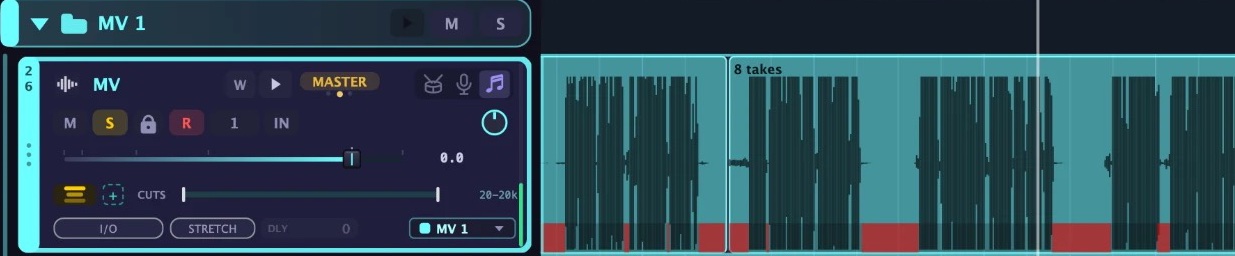
Sing as often as you like
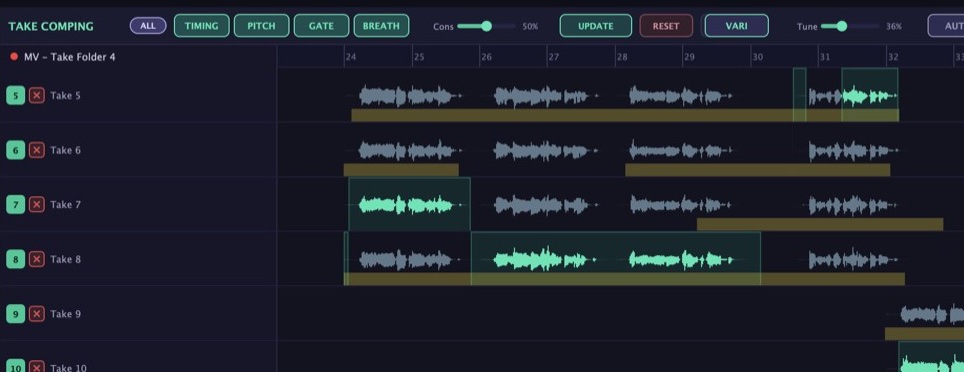
Record pass after pass, and arrTUNE DAW keeps everything together in one take folder. In your headphones you hear yourself directly, with reverb if you like.
 by Hens HensenBlack Month
Buy now and save €150.
Your songwriting studio for the Mac: arrange songs, record vocals, mix, and export the lyric video at the end. One app, so you stay in the music.
The offer ends in
From December 1, 2026 arrTUNE DAW v1 starts at €449 and will cost more later. Pay once, no subscription, all v1 updates, even new plugins · incl. VAT · Secure payment via Stripe
This is the heart of arrTUNE DAW. Just keep scrolling and watch your recordings turn, step by step, into a finished vocal production at the highest studio standard. New: an AI learns your voice from your take folder and rescues the parts that did not quite work. All in one program.
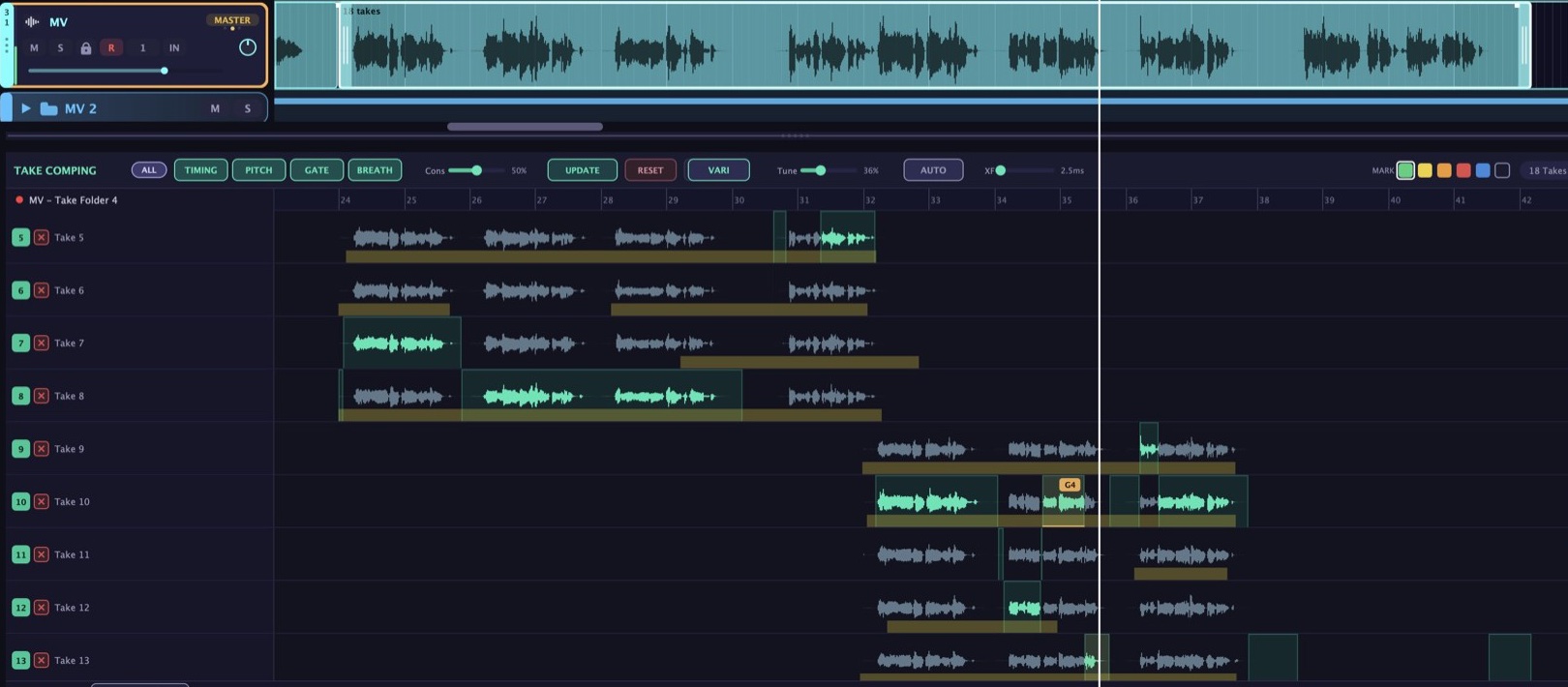
Record pass after pass, and arrTUNE DAW keeps everything together in one take folder. In your headphones you hear yourself directly, with reverb if you like.
In the take folder you press PITCH. Now every single take gets tuned, not just one. The Tune slider sets how much.
TIMING pulls all takes together, GATE removes the silence between phrases, and BREATH keeps the breath in, quietly.
Now you listen through the tuned takes and mark the best parts. Your lead vocal appears on the track above straight away and plays.
Edit with arrTUNE opens the voice note by note: pitch, length, vibrato and level, right on the track. No transfer, no second program.
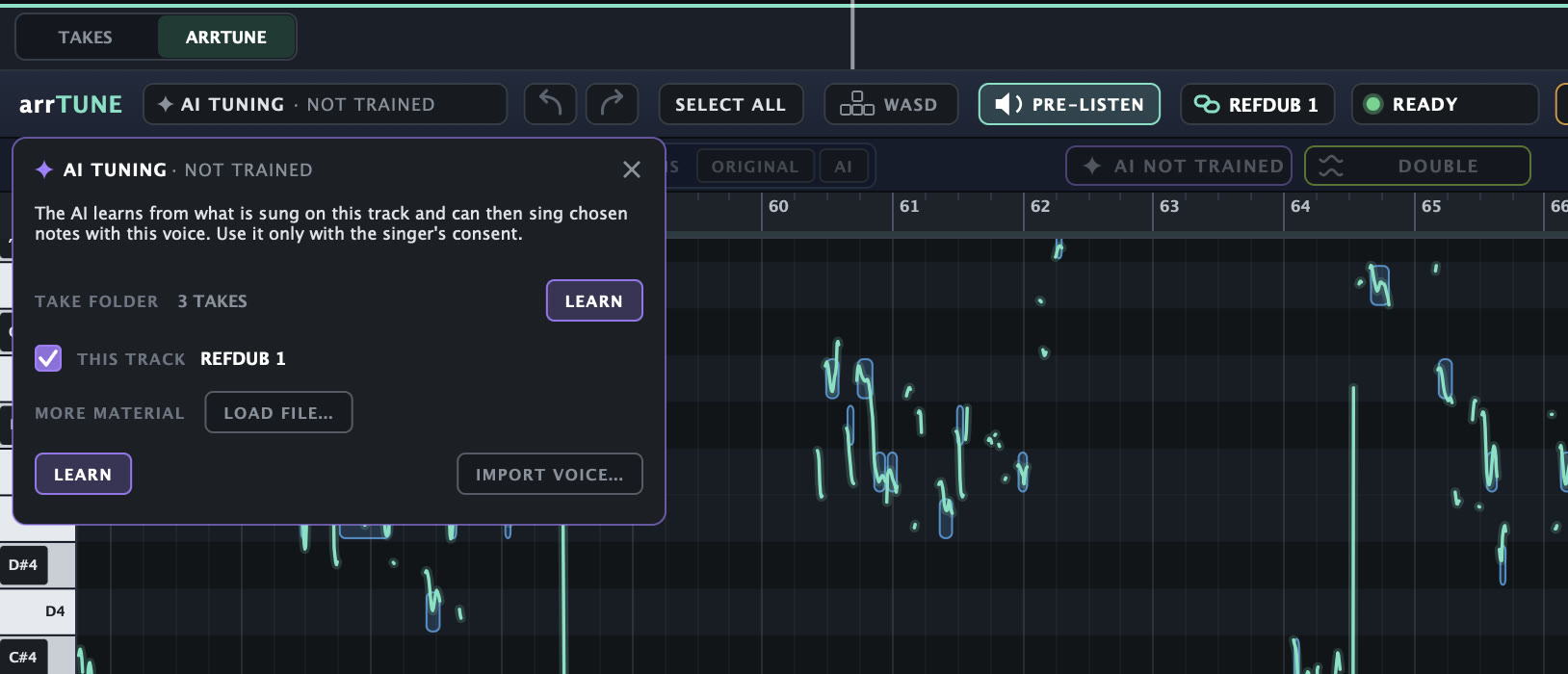
Open the vocal with Edit with arrTUNE and click AI TUNING at the top. Your take folder with all its takes is already listed as the source. One click on LEARN, and the AI learns how you sound. You watch the progress live.
This only works because the DAW knows all of your recordings, not just the finished track. You can export the learned voice and load it again in later productions.
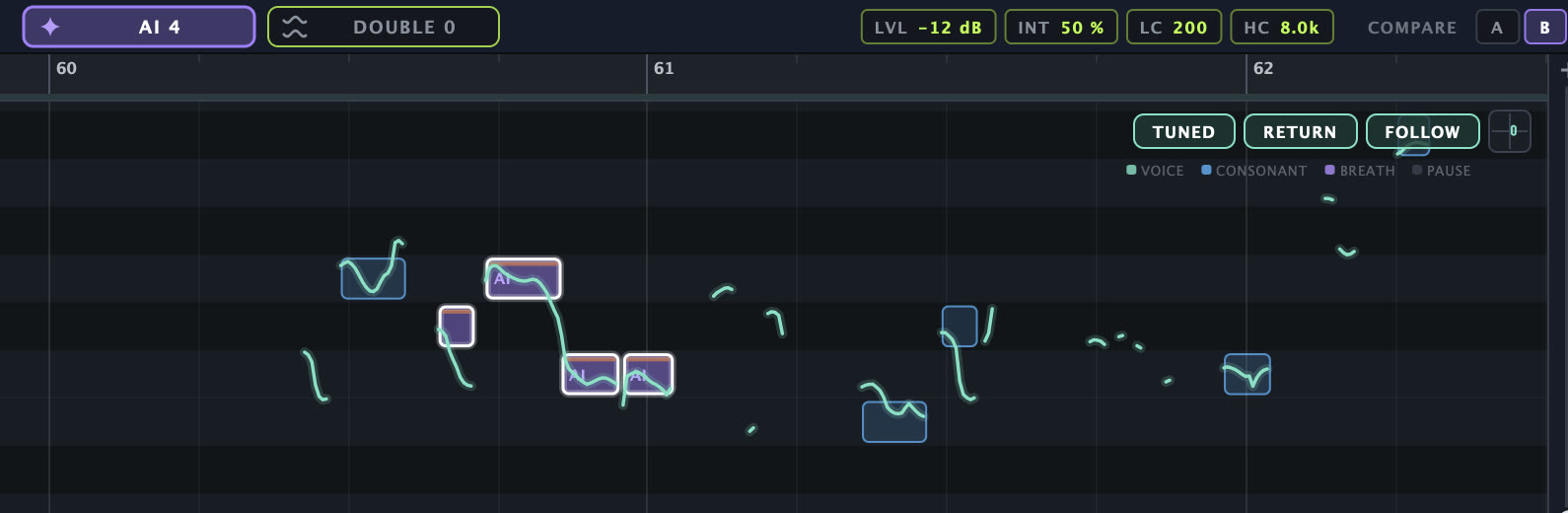
If a passage sounds tired, pressed or nasal, select exactly those notes in the arrTUNE editor and press AI. Pitch, timing and expression stay yours, the sound comes from the voice your take folder has learned. All other notes stay original.
Consonants and highs can stay ORIGINAL or come from the AI as well, and COMPARE lets you hear the difference. While it is being calculated, the clip shows TUNING %.
Create Doubling builds the double from the takes that did not end up in the lead. So these are real voices, sung by you.
You choose how many sing at once, three for example, and arrTUNE DAW spreads them across the stereo field. The more takes you sang, the more voices are possible.
For single passages the arrTUNE editor has DOUBLE: select notes, and two voices sing along left and right, built from what you hear, so on AI passages with your AI voice.
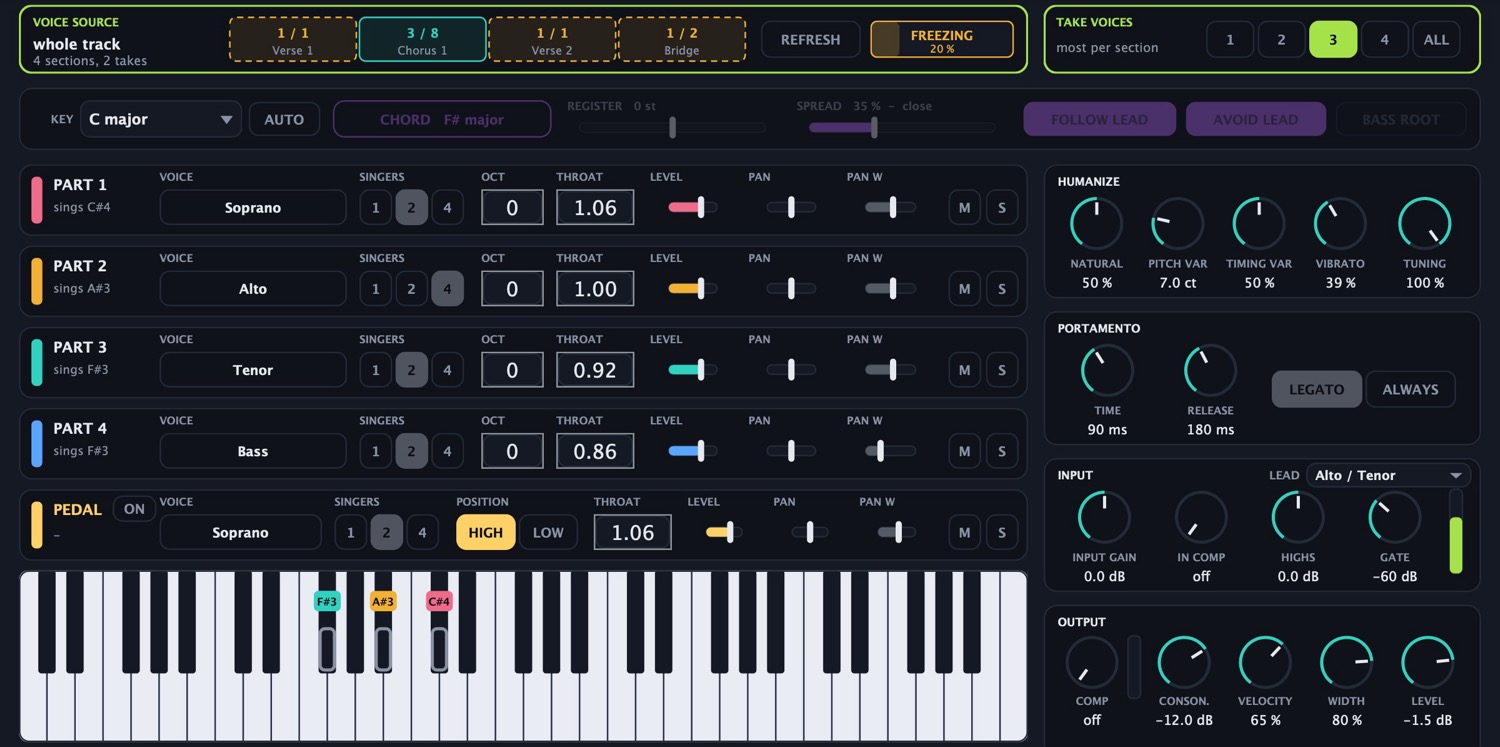
Create Choir Instrument turns your takes into an instrument. You play the chords, and the Harmonizer sings them in your own voice, with the words of your lead vocal.
That way the recordings that would otherwise have gone unused become a whole choir in studio quality.
First the untuned original recording, then every pitch twice: with arrTUNE and with a high industry standard. Both start from the same raw recording, and all examples are level-matched. You can switch during playback, the position stays the same.
The same recording as above, turned into a choir by ArrChoir. Three engines at the same level. You can switch during playback, the position stays the same.
ZERO responds without delay. HQ works from the learned recording. TAKES builds the voices from your takes.
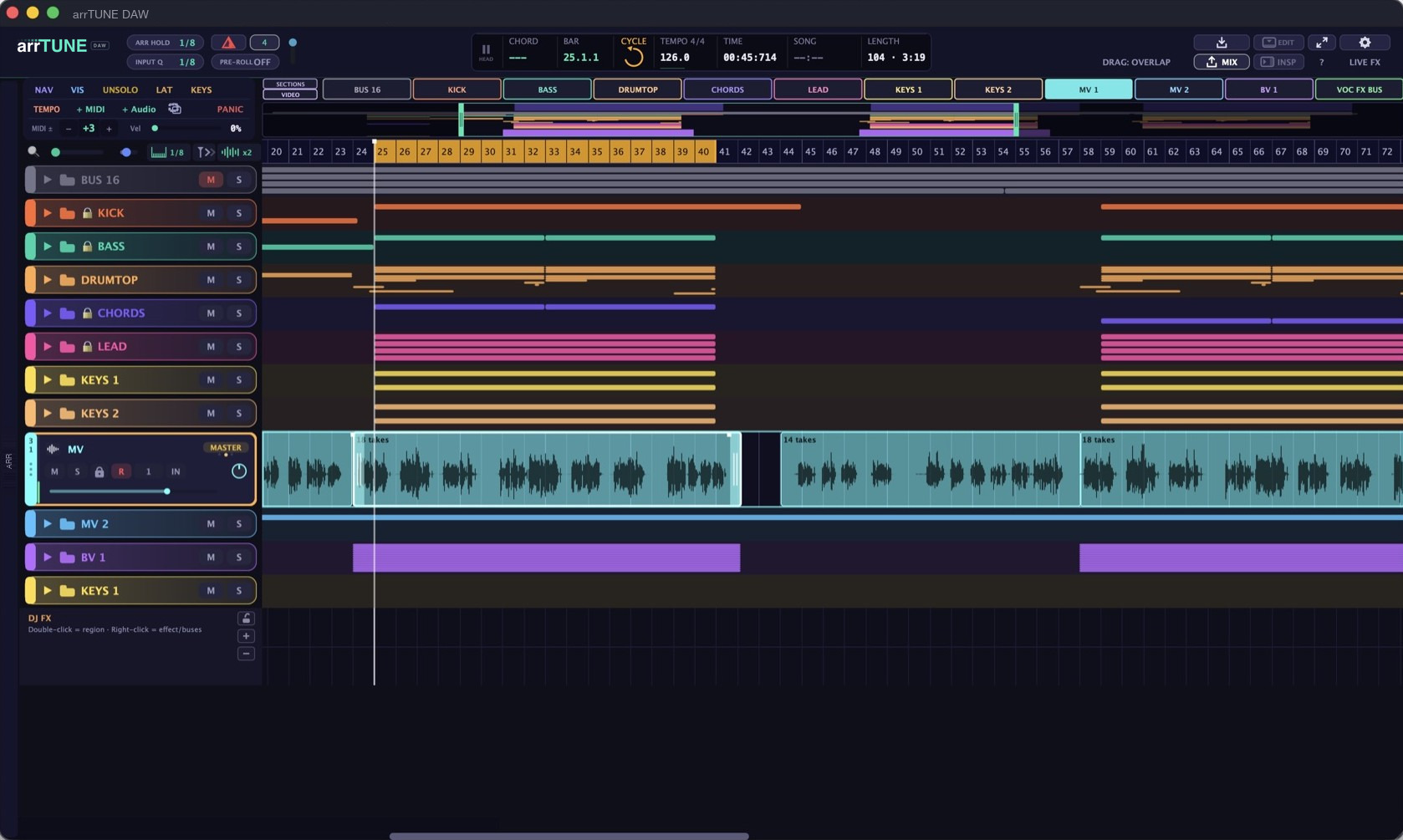
arrTUNE DAW is a full DAW as well. Instruments, MIDI and audio, buses, mixer, effects and mastering are all there, so you can take the production all the way to the end right here.
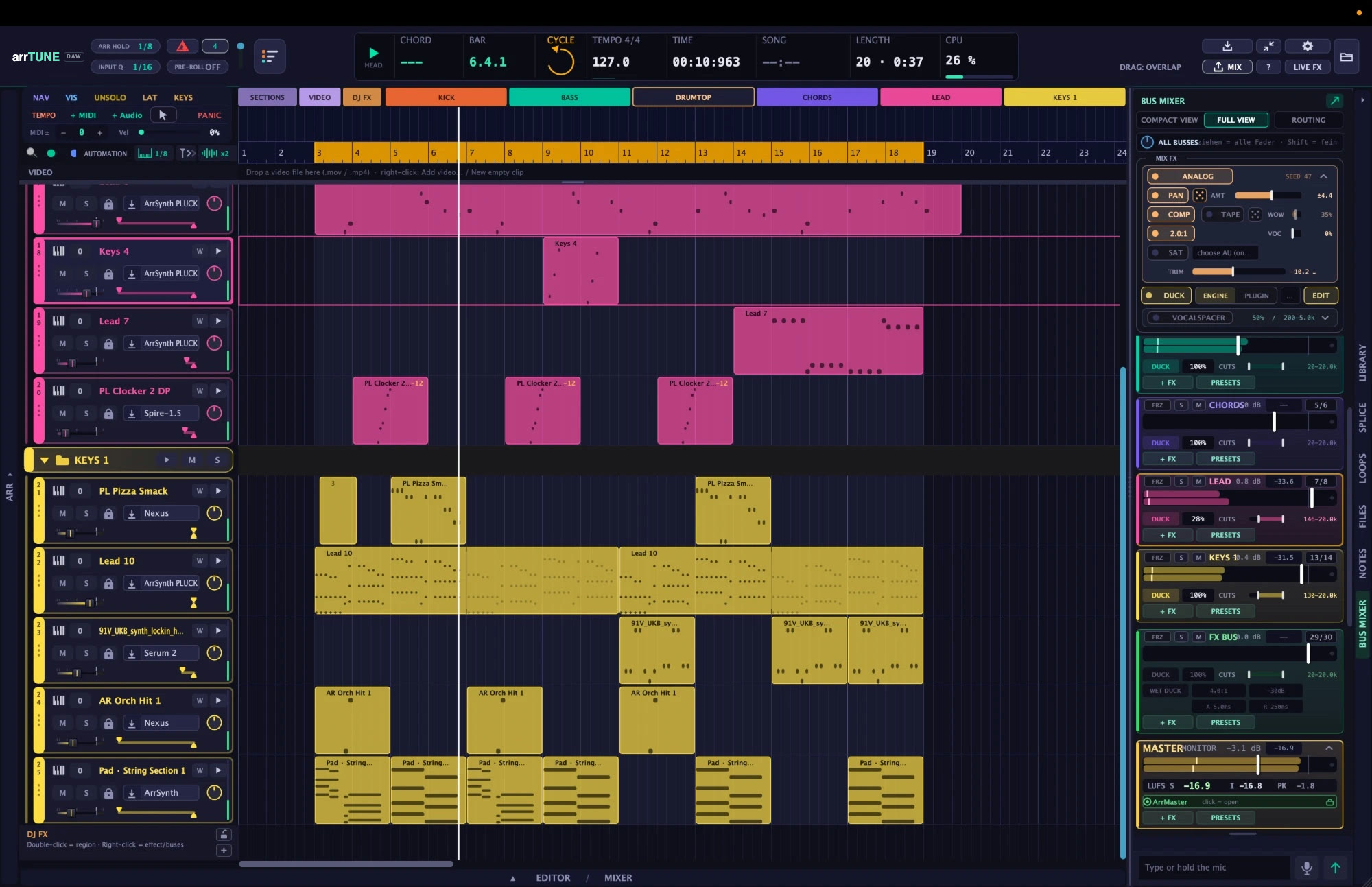
Screenshots from current productions. Click opens the image at full size. Images may differ in detail from the current version, as arrTUNE DAW is under continuous development.
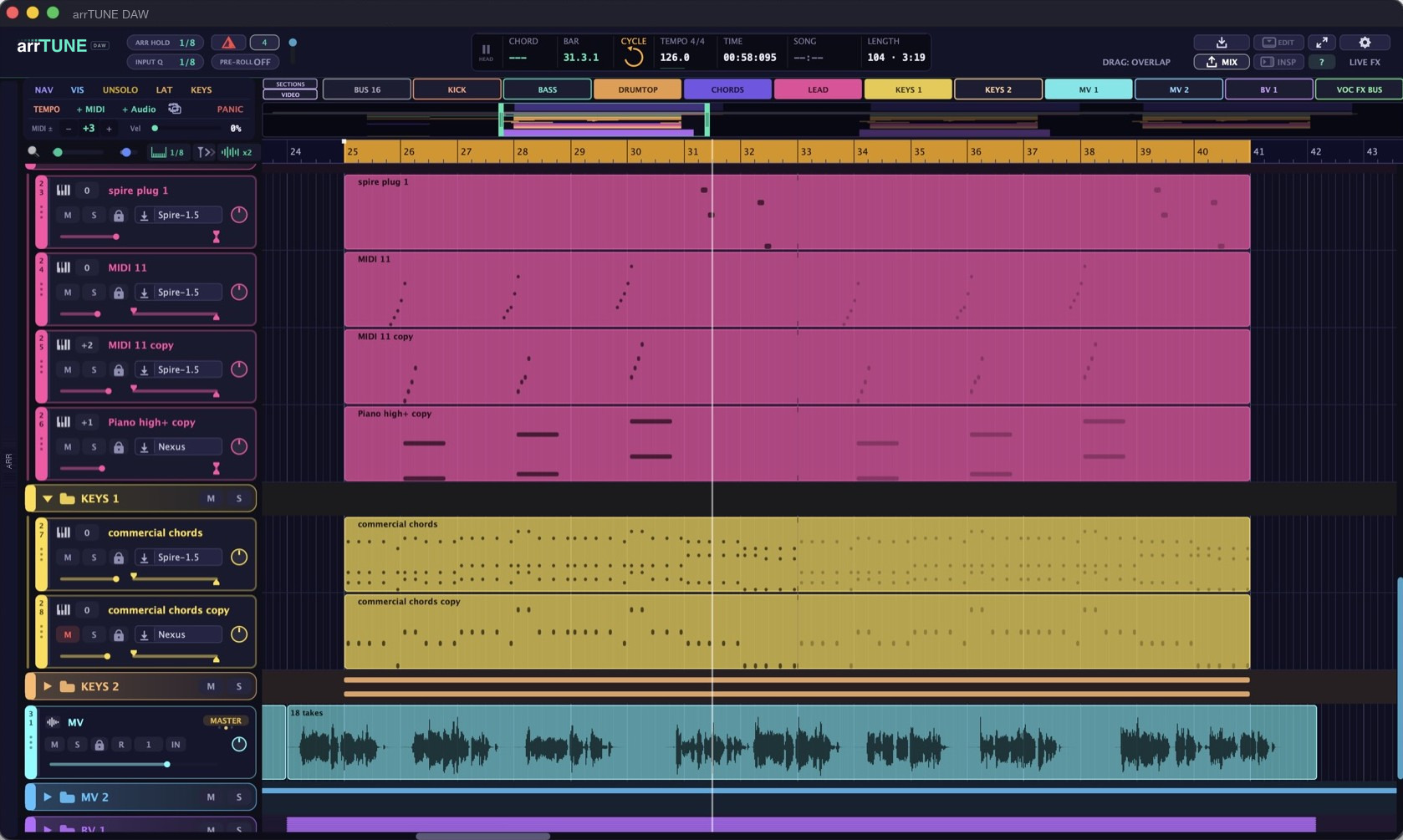
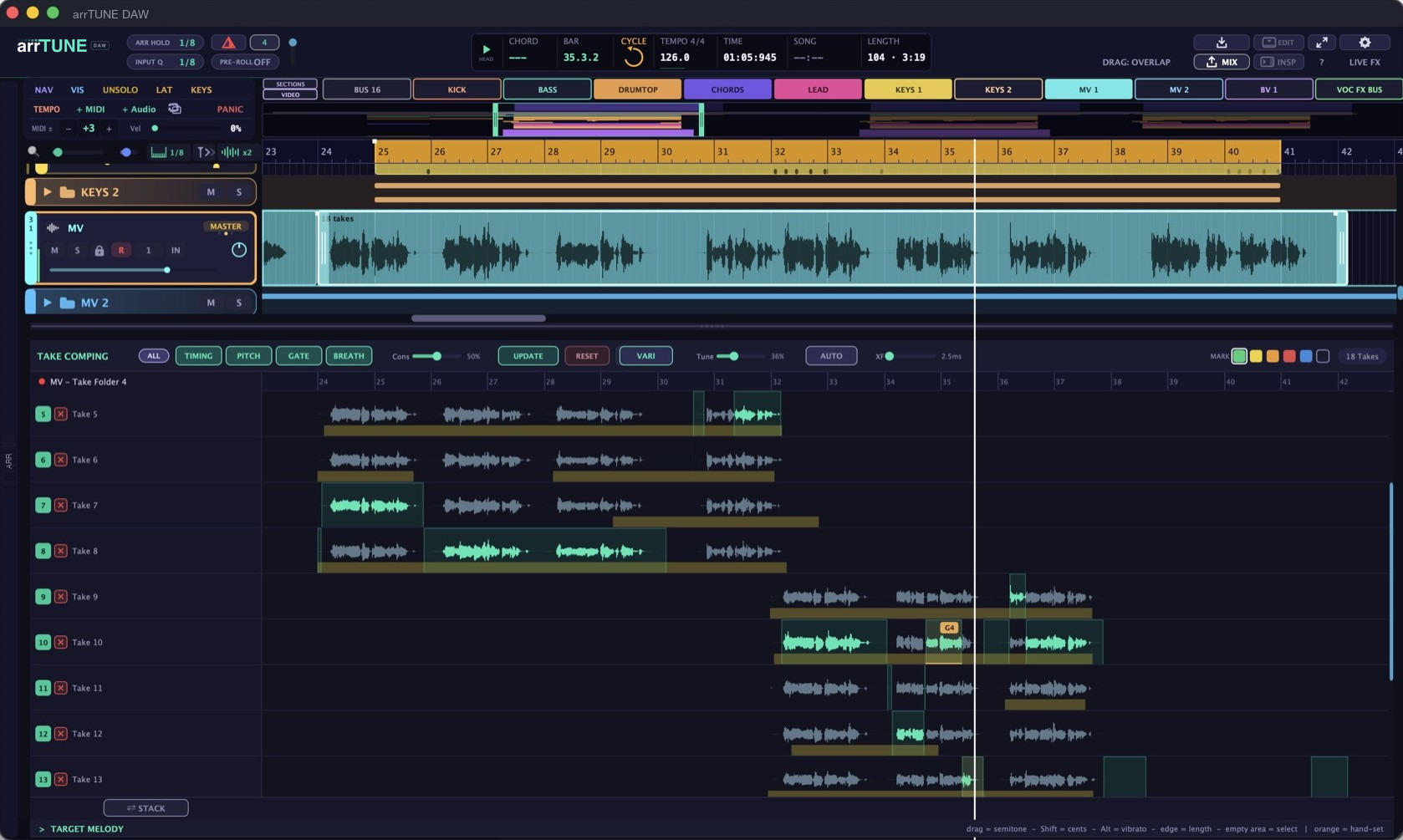
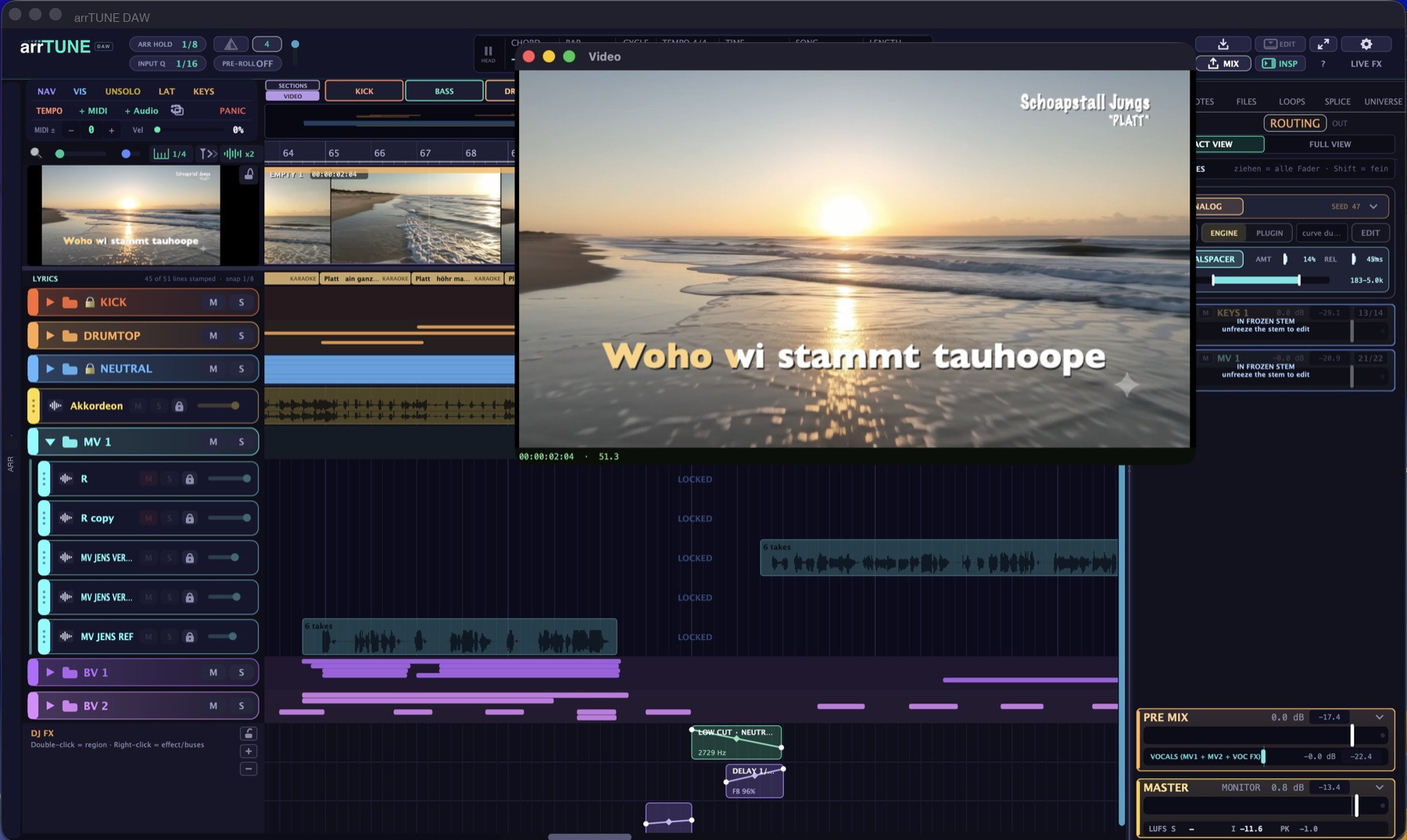
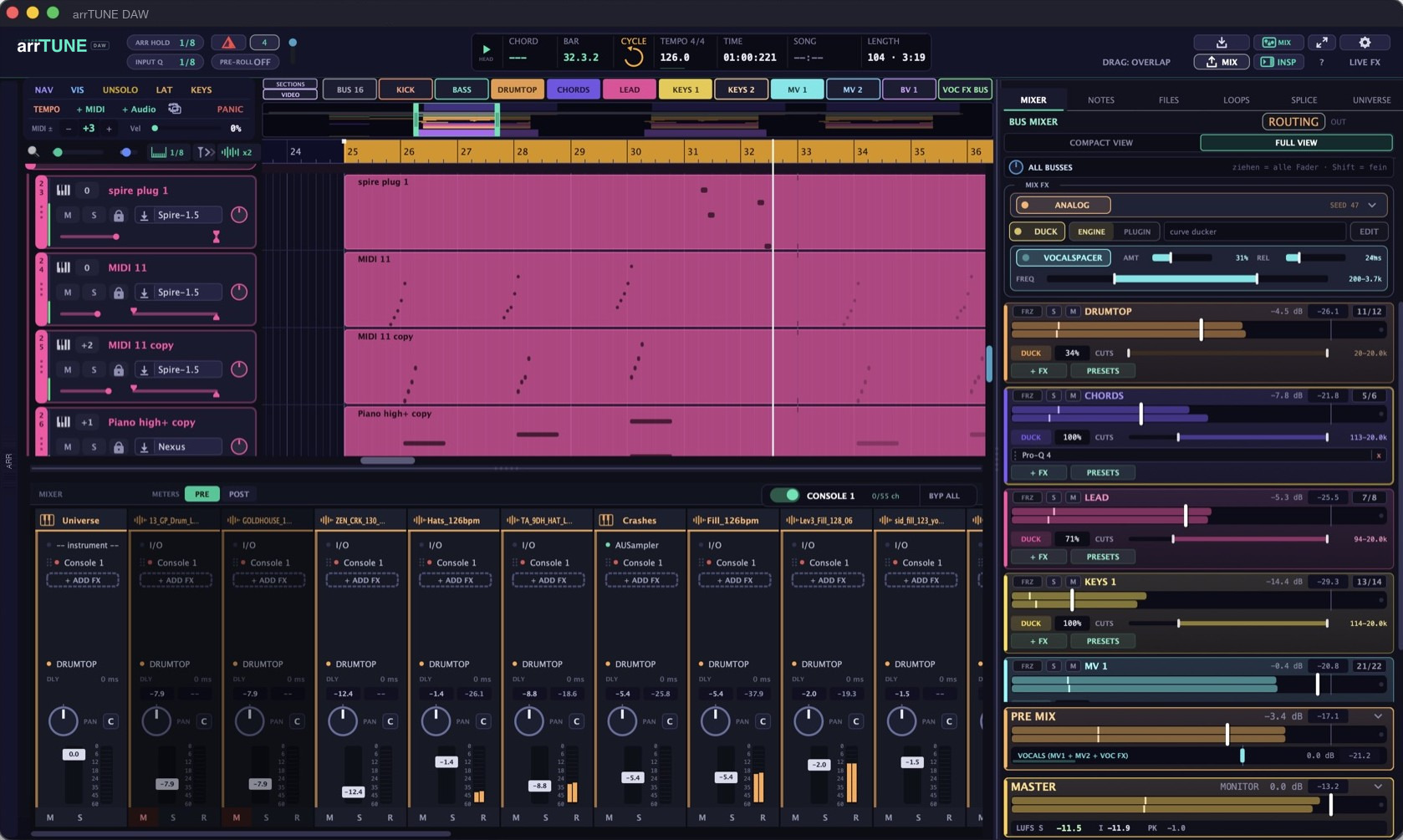

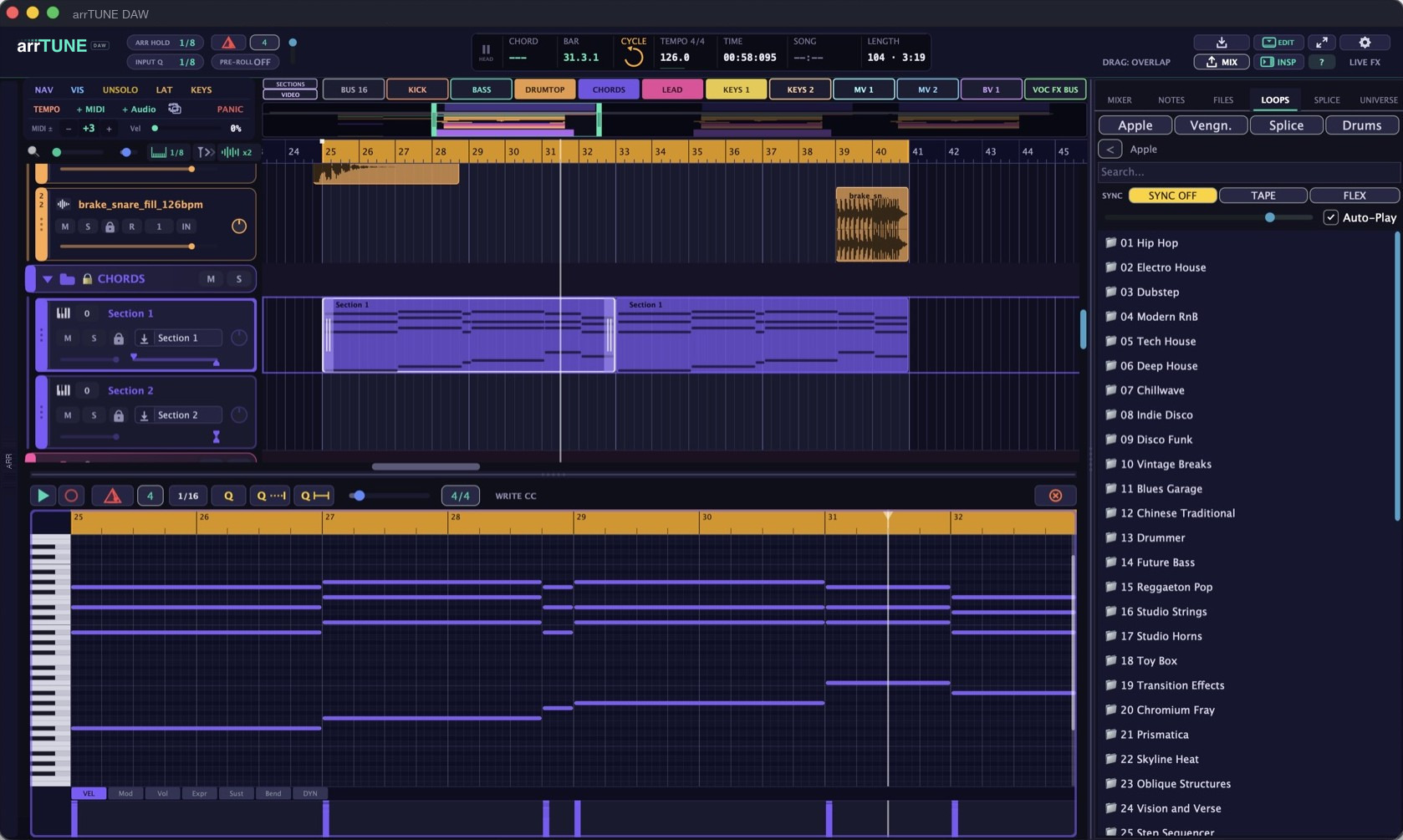
Audio and MIDI tracks, clips with fades and crossfades, take folders with comping, piano roll, colour folders, markers, tempo track. Tool field with marquee, eraser and mute, grid chip, auto-scroll, pinch zoom, freely assignable keys. Four DJ effect lanes with regions for hi-cut, low-cut, tempo-synced delay, tape stop, reverse, phaser, volume or one of your own plugins, each drawn as a curve and aimed at single buses or the master.
The lead engine aligns timing and pitch of all takes in a take folder to their common average. The result is doublings that run in sync and can be bounced to a new track. Take folders can be linked as master and slave: doublings and backing vocals follow the timing of the lead vocal. Audio edit removes breaths, clicks and mouth noises. Vocal Space ducks the music under the voice, sidechain from any track.
Video track with clips, photos, titles and motion. Lyrics are stamped onto the time with a keypress, export as LRC. Lyric video with effects straight to MP4.
32 sum buses with names and colours. Channel mixer and bus mixer, both also as separate windows. Inserts, sends pre and post, pre-mix and master. Mix routing with stems, freeze and realtime freeze. Metering with LUFS.
Audio Unit and VST3 load directly. Plugin presets, plugin roll, blacklist. Hardware controllers with channel follow, external synths with MIDI clock and audio return. Low-latency direct path for playing in.
Stem separation into vocals, drums, bass and rest with the free add-on package. Tempo detection and follow tempo via varispeed. Import as track or take folder, compressed formats included.
Mixdown at the push of a button, mix variants as instrumental, half playback, live playback and full playback, stems export. Play from cursor or selection with pre-roll, cycle, transport window, song archive as ZIP, day and night mode, help search.
The plugins are built for arrTUNE DAW and run right inside the app. All of them are included in arrTUNE DAW. Besides them, arrTUNE DAW loads your own Audio Unit and VST3 plugins.
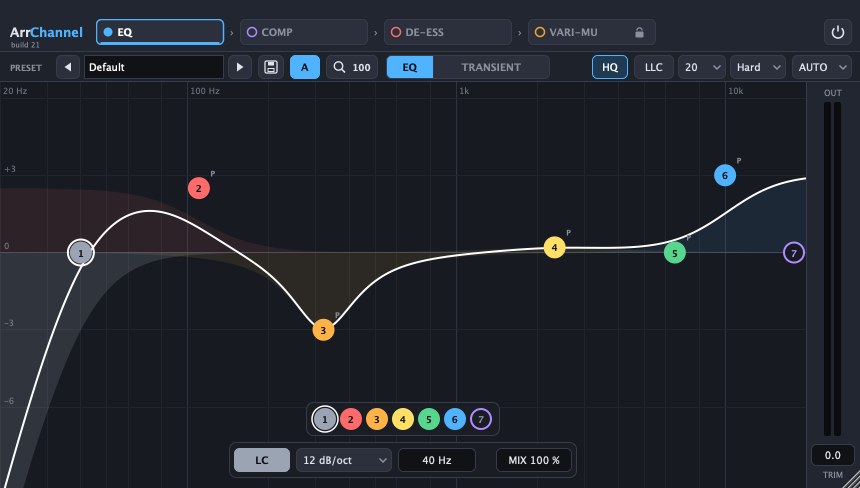
Channel strip with EQ, compressor, de-esser and a vari-mu stage in one chain. The EQ has up to seven bands and shows the spectrum live.
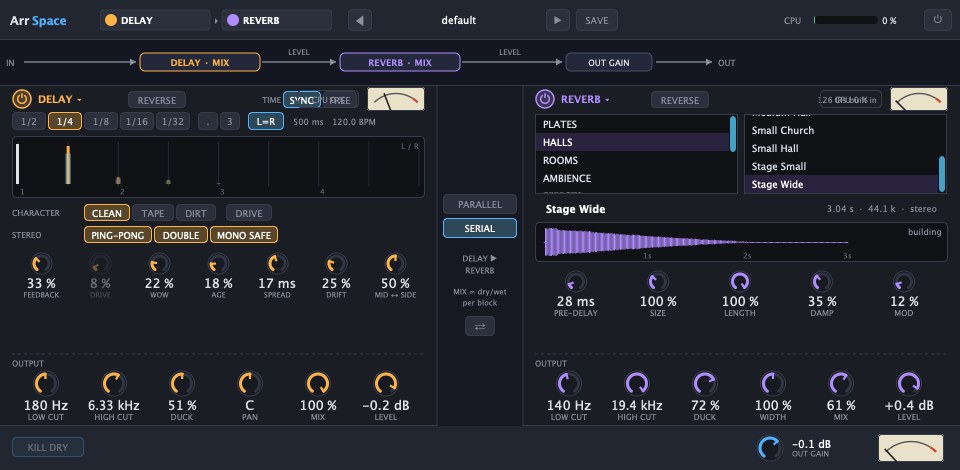
Delay and convolution reverb in one plugin, in series or in parallel. Both blocks can run in reverse. The delay has ping-pong, tape saturation and ducking, the reverb more than a hundred rooms, halls and plates.
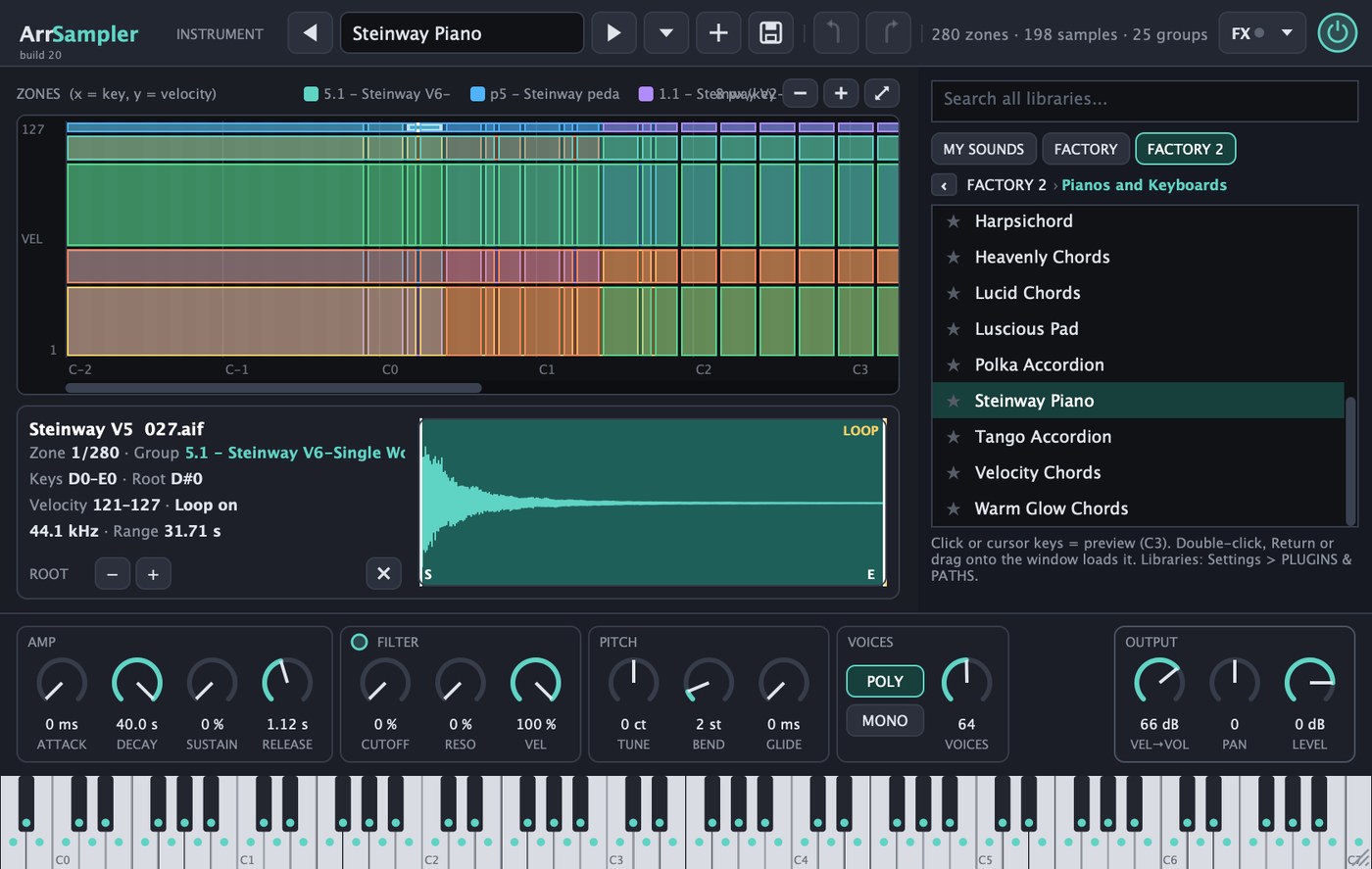
Sampler that loads instruments in the EXS format directly, with all zones and velocity layers. You build your own instruments by drag and drop, and the search covers all your libraries.

Drum sampler for your own kits. Every key has its own settings and a send into the built-in reverb.

A live choir from your lead vocal: you play chords, and four parts plus a pedal voice sing them with the lead's lyrics. Three play modes (live, around, diatonic), three sound engines up to your own takes, plus humanize, portamento and scenes.
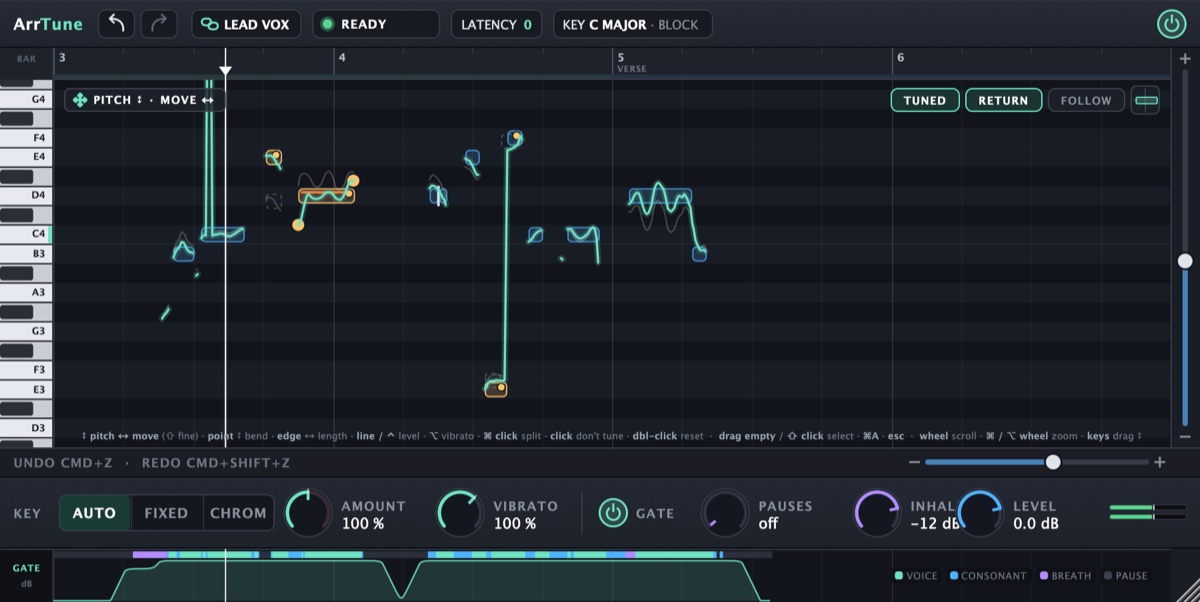
Pitch correction for vocals with zero latency. The notes sit on the grid; you drag their pitch, length and vibrato, or let them snap to the key automatically. Plus a gate that turns pauses and breaths down separately.

The mastering chain on the master: a seven-band EQ with dynamic bands, drive with saturation, a desk with mono bass and stereo width, polish and a maximizer with a true-peak ceiling. LUFS and peak meters always in view.
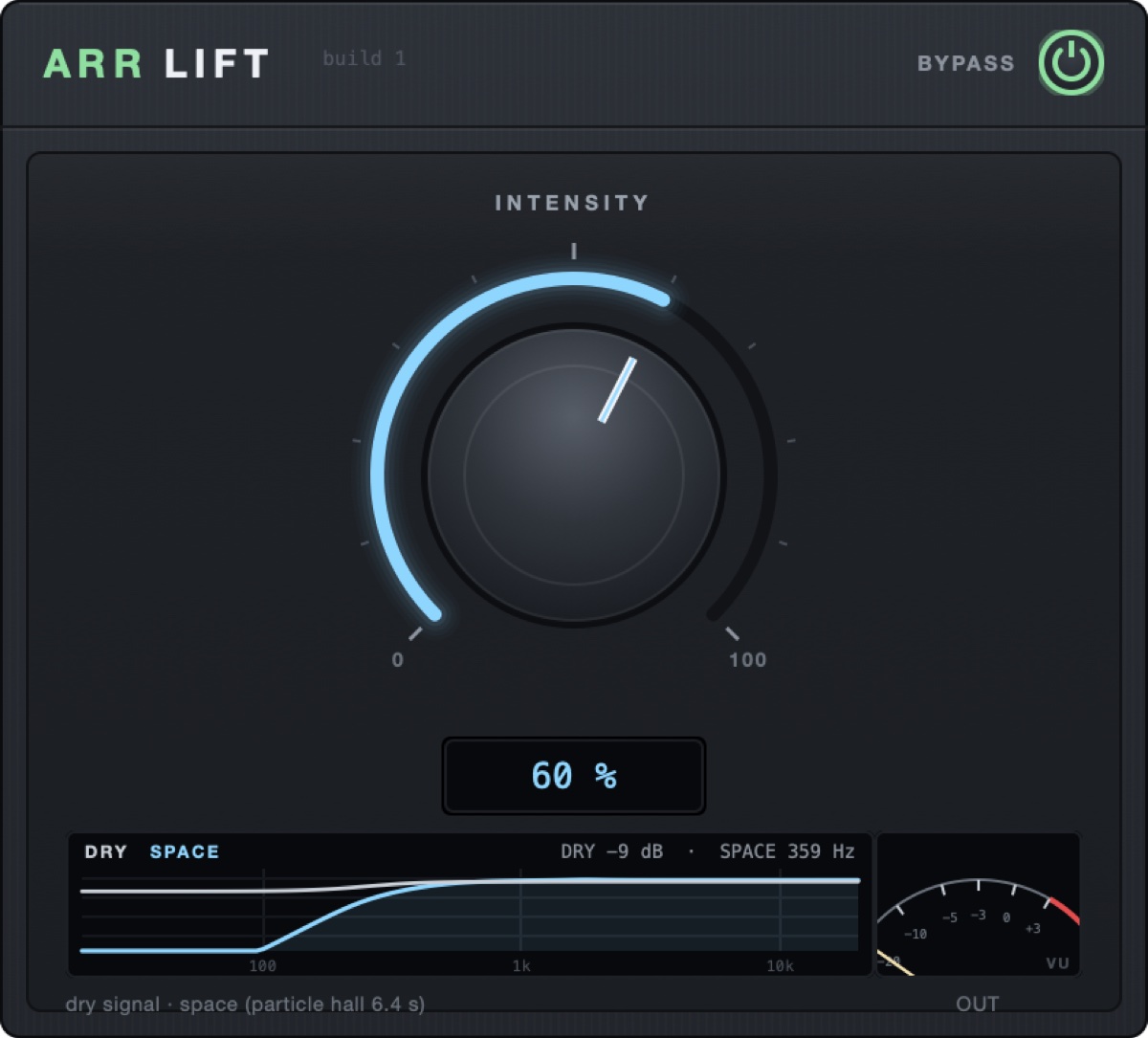
A build-up effect with a single knob: the further you turn it, the thinner the dry signal and the bigger the hall behind it. Made for lifts into the chorus or the drop.
Hi, I'm Hens Hensen. Originally I just wanted to write a MIDI plug-in – and ended up building an entire DAW around it. It simply happened that way, and the ambition was there. Today arrTUNE DAW is my daily tool: every one of my productions is made with it, from the first chord to the finished mix. I work on the program every day and keep extending it. If a feature is missing or something in the workflow bothers you, write to me. Much of what is in there today came about exactly like that: from requests by people who make music with it.
Hens Hensen · Contact form
I built arrTUNE DAW to save you a lot of busywork. Its structure is thought through from the start: everything connects, from the sum buses down to the stems. You get the final mix in several versions right away, whether instrumental, half playback or live playback, all automatic.
On top of that, plenty of features make producing easier. So you can get back to what it is really about: making music.
Buy now Download trial for Mac Secure payment via Stripe
Good to know: arrTUNE DAW comes with eight plugins of its own, from channel strip and reverb to sampler, drums, tuning and mastering. Sounds and sample libraries are not included: ArrSampler and ArrDrums play your own instruments and kits. It is made for professionals who already own their instruments, effects and sounds and want to get to the finished song faster. Your Audio Unit and VST3 plugins load directly.
You can try arrTUNE DAW for free before you buy, with no time limit: the complete app. Only mixdown and every kind of export are locked in the trial and are unlocked with the license key.
Yes, for free and with no time limit. The trial is the complete app. Only mixdown and every kind of export stay locked until you activate a license key.
On up to three of your own Macs. A Mac can be signed off again in the settings to free the slot.
Only to activate. After that the app checks the licence occasionally at start-up and keeps working fully offline for up to 14 days.
Yes, all updates of arrTUNE DAW v1 are included in the license, including newly added plugins, and are announced inside the app. A new major version such as arrTUNE DAW v2 is a separate product.
No, currently only on Macs with Apple Silicon running macOS 14 or later.
Eight plugins of its own are included: ArrChannel, ArrSpace, ArrSampler, ArrDrums, ArrChoir, arrTUNE, ArrMaster and ArrLift. They are part of the app and run only inside arrTUNE DAW. Sounds and sample libraries are not included. arrTUNE DAW is aimed at professionals who already own their instruments and sounds and want a more modern workflow. Your Audio Unit and VST3 plugins load directly, your own samples come in via import.
Yes, Audio Unit and VST3 plugins load directly. Hardware controllers with channel follow are supported.
By e-mail via the contact page. Tester feedback flows into the updates continuously.